You do not need to replace a wall switch to make a rental’s lighting easier to use. Smart bulbs, suitable smart plugs, and portable smart lamps solve different problems. Choose the smallest setup that does what you need before committing every room to one app or system.
Decide what you want the light to do
Write down a practical goal: switch a reading lamp on from the sofa, dim a bedroom lamp, turn lights on at a scheduled time, or adjust white light throughout the day. A plug may be enough for simple on and off. Dimming or color changes usually call for a compatible smart bulb or a lamp with those functions built in.
| Approach | Good starting use | Check before buying |
|---|---|---|
| Smart bulb in a compatible lamp | Dimming or adjustable light from an existing fixture | Bulb base, fixture limits, dimmer compatibility, and connectivity |
| Smart plug with a conventional lamp | Scheduled or remote on/off control | Plug rating, lamp switch behavior, socket clearance, and network |
| Portable smart lamp | A complete movable lighting unit | Controls, app requirements, replacement options, and placement |
Start with one plug-in lamp
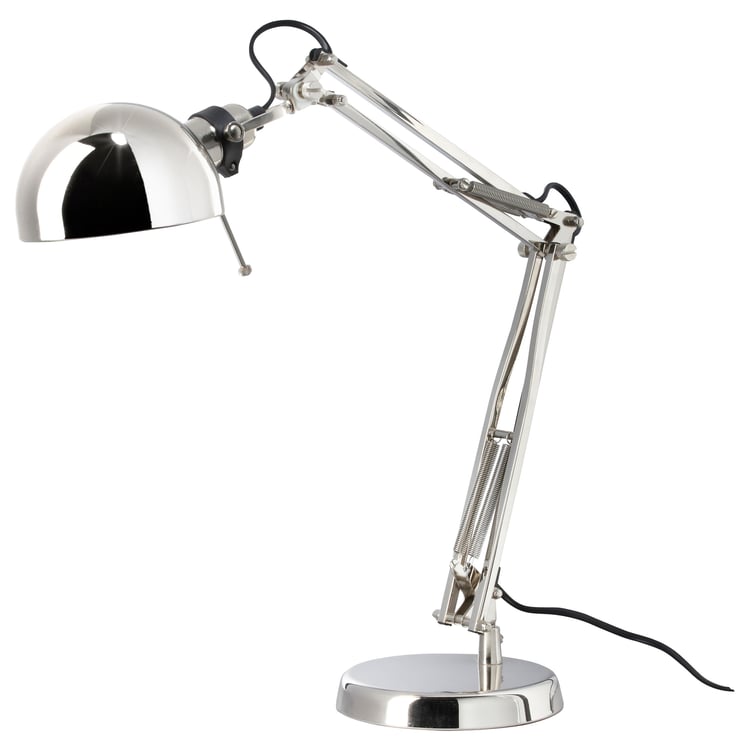
A table or floor lamp is easy to take with you and does not require changing the property’s wiring. Select one in a room you use daily. Check its condition, socket type, and maximum permitted bulb rating. Follow the fixture and bulb instructions for enclosed shades, heat clearance, and use with dimmers.
For a smart bulb, the lamp generally needs to remain powered for app control to work. Explain this to other occupants: turning the physical lamp switch off can make the bulb unreachable. Provide a convenient physical control where the system supports one, rather than requiring everyone to open a phone app each time.
Check smart-plug compatibility with the lamp

A conventional lamp with a mechanical switch can often be left in its on position while a suitable smart plug controls the power. A lamp with an electronic touch button may stay off after power is restored. Test that behavior using the lamp’s normal power controls before purchasing a plug for it.
Use a plug rated and approved for the intended load and follow the manufacturer’s limits. This guide is about appropriate lighting loads, not heaters or other high-power appliances. Check that the plug does not obstruct a neighboring socket or put strain on the outlet. Do not stack adapters to overcome an awkward fit.
Read the network requirements for the exact model
Wi-Fi, Bluetooth, Zigbee, and Thread are different connection methods. Some products need a hub or compatible controller, while others support direct phone control. Shared building Wi-Fi or a network with a browser sign-in page may not support the device’s normal setup. Confirm the requirements and your ability to connect it before buying.
As one example, Philips Hue’s current setup guide separates Bridge, Bluetooth, and direct Matter setup paths for appropriate models. Do not assume that every bulb with the same brand name has the same connection requirements or features. We have not hands-on tested every model; this is a planning guide, not a product ranking.
A five-step first-room setup
- Choose one everyday lamp and one useful goal.
- Confirm the bulb or plug fits the lamp and your electrical and network requirements.
- Install using the manufacturer’s instructions and complete any required updates.
- Use clear device names such as Bedroom Reading Lamp.
- Test manual control, app control, your intended schedule, and behavior after a normal power interruption.
Check which functions continue without internet or when your phone is away. These vary by device and setup. Keep an ordinary way to turn on enough light to move around safely. A smart-light scene should be a convenience, not your only way to illuminate an exit.
Moving out
Store original bulbs in labeled packaging. Restore the original lighting arrangement when you leave, and remove or reset devices according to their instructions before transferring them to another person. At the next home, reassess coverage and network requirements before assuming old schedules and room names still make sense.
For other reversible improvements, read 15 upgrades you can take with you. For window light and privacy, see our no-drill curtain guide.
Compare two specific renter-lighting options
Our task-lamp and smart-plug comparison covers the IKEA FORSÅ and Tapo P125M, including bulb requirements, owner feedback, and network checks. They address different needs; the guide does not claim we tested them ourselves or that the pair is a verified combination.